Rates set once a year
Rarely revisited
Move street rates with occupancy and schedule existing customer rate increases from the platform you already run your sites on. No spreadsheets, no separate tool.
Where pricing slips when nothing manages it.
Rarely revisited
Demand ignored
Years without a review
Hours every cycle
Easy to miss one
Local demand ignored
Self storage revenue management software sets and adjusts unit prices based on occupancy and demand. It works two levers: the street rate new customers see, and existing customer rate increases (ECRIs) for tenants already renting. A good self storage revenue management system raises revenue per occupied unit without giving up occupancy.
Street rates that move with occupancy, per unit type
Scheduled ECRIs with notice and review periods
Revenue and occupancy reporting for every site
CSV and Excel exports, plus an open API
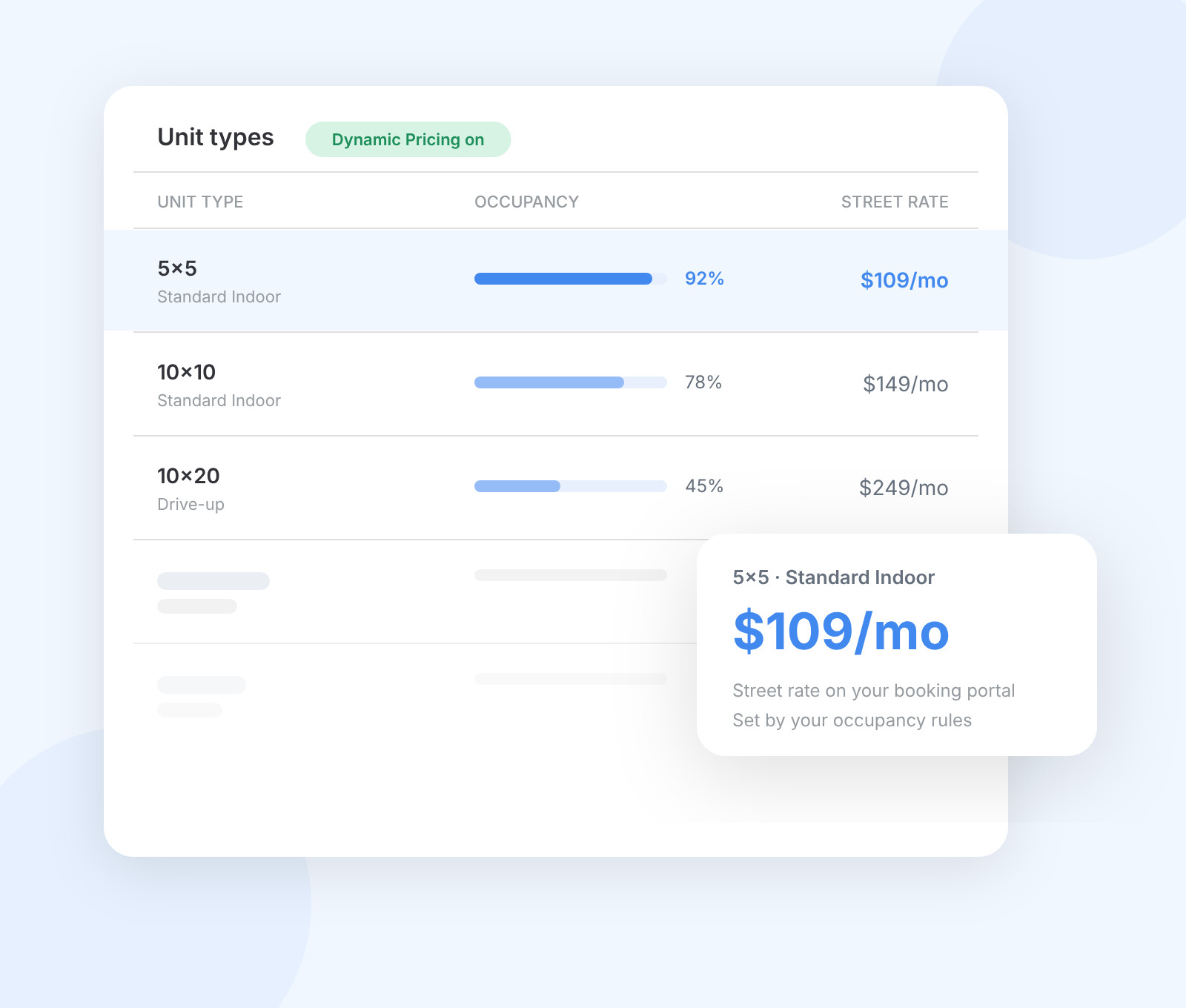
Dynamic Pricing handles street rates for new move-ins. Automated Rent Increases handles existing tenants. Each runs on its own rules, so a busy week never pushes a rise onto sitting tenants.
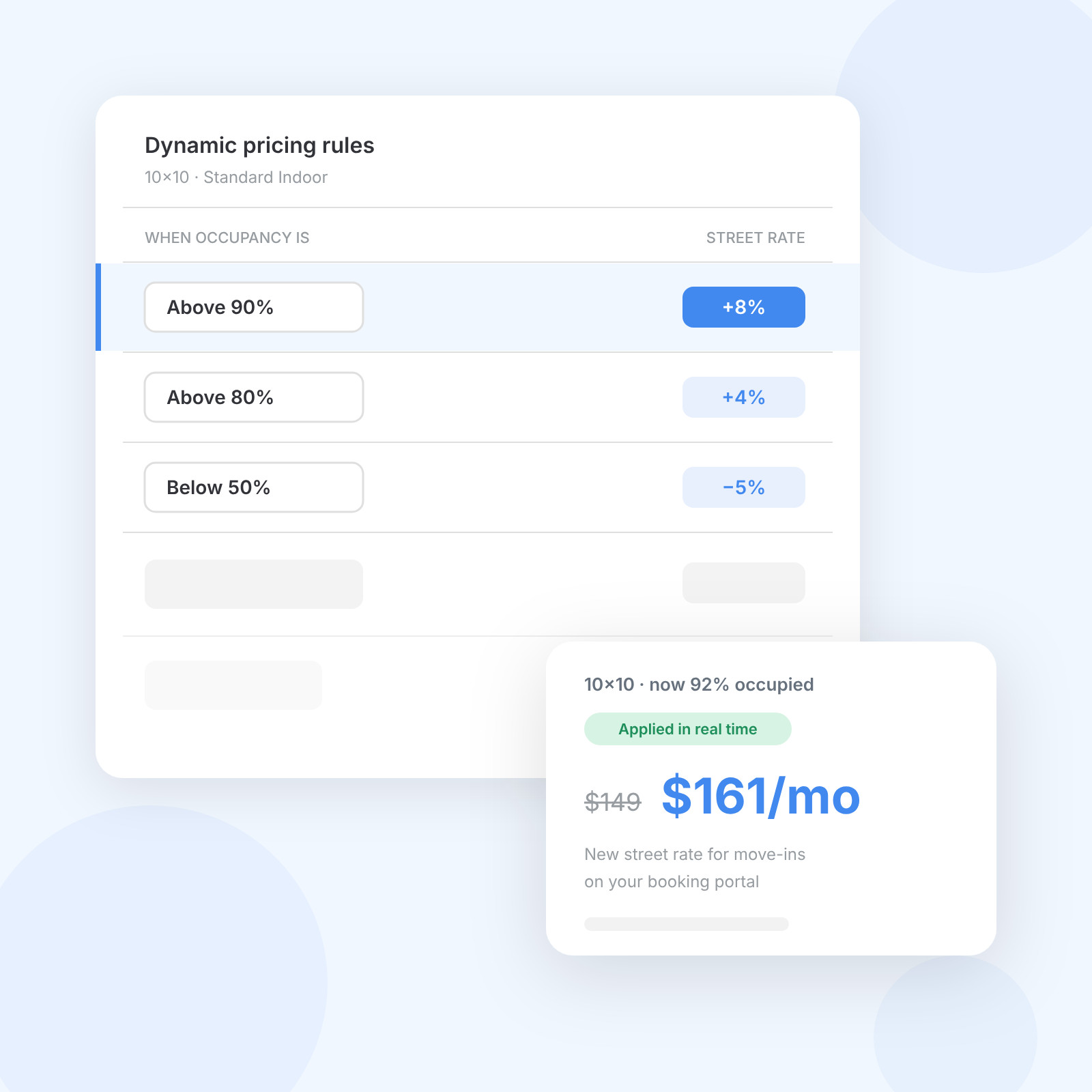
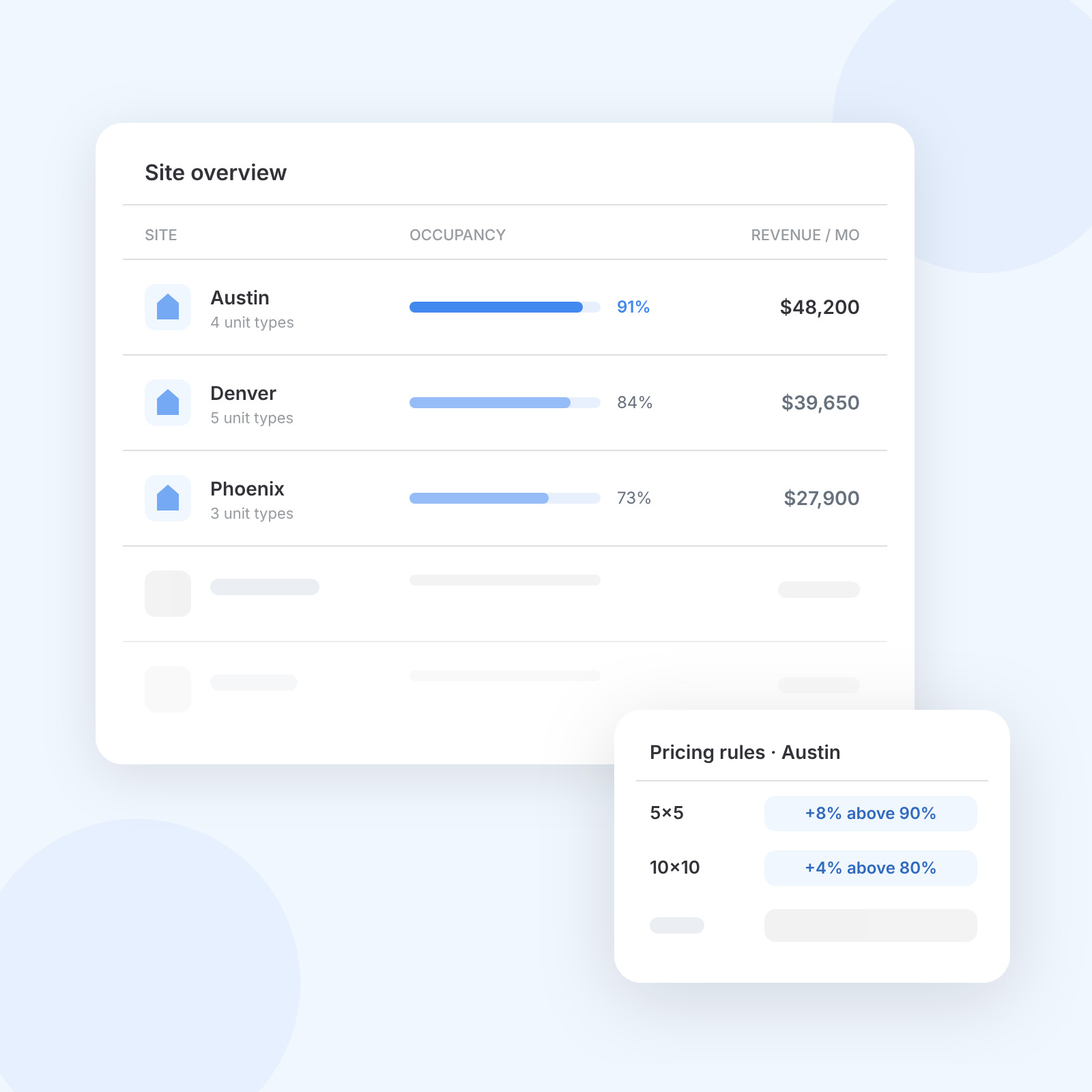
Set rules per unit type. When a unit type crosses an occupancy threshold, its street rate changes by the percentage you chose, in real time, on your booking portal. Your highest and lowest rules set the range. Dynamic Pricing is included on every plan.
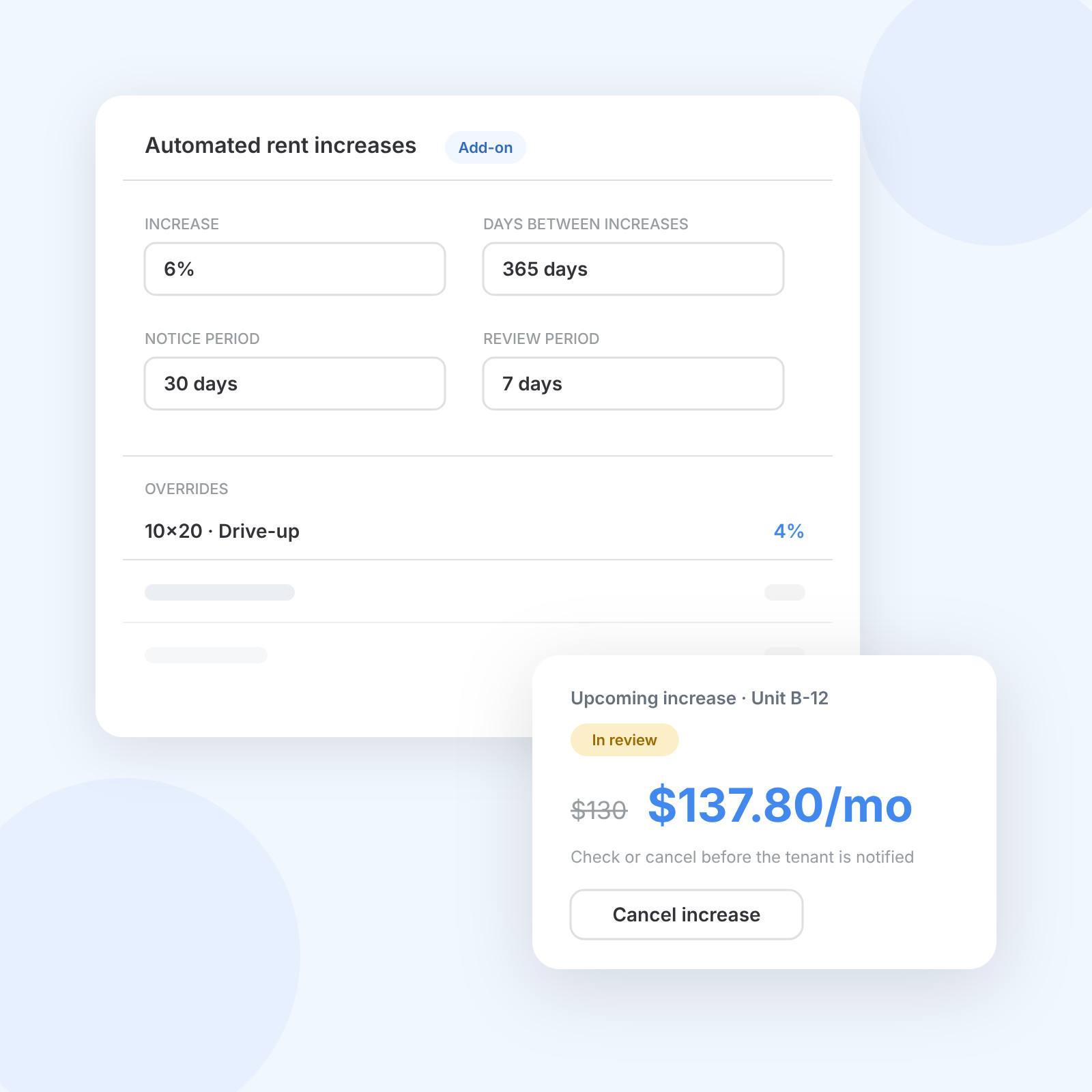
The Automated Rent Increases add-on sets the increase, the days between increases, the notice period and a review period, so you can check or cancel an increase before tenants hear about it. Override it per unit type or per rental, or set 0% to leave one out.
Each site keeps its own unit types and its own pricing rules, so every location is priced to its local demand from one login. The site overview dashboard puts occupancy and revenue side by side.
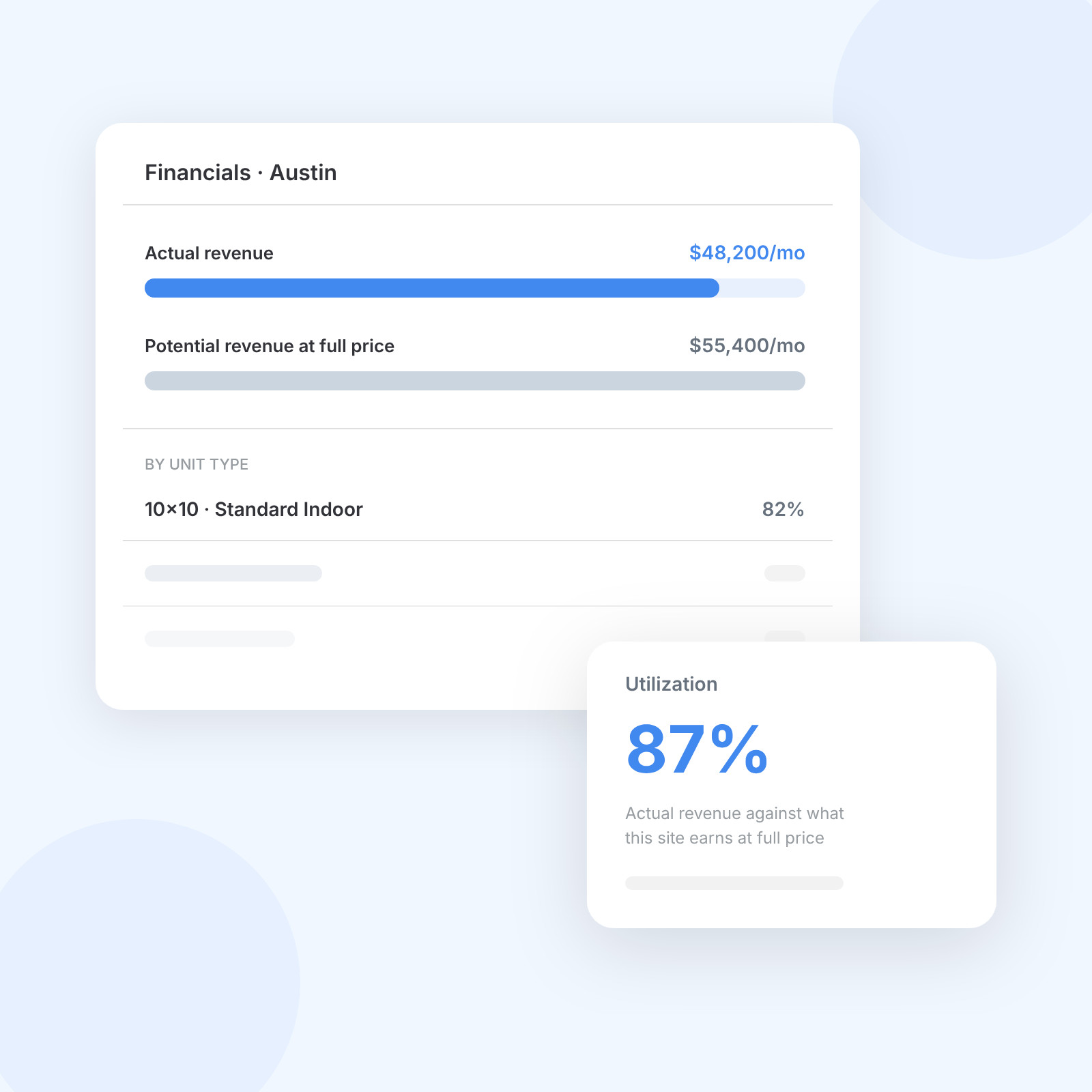
The Financials dashboard shows utilization: actual revenue against the revenue you would earn at full price. It is the quickest way to spot a site, or a group of tenants, sitting below its potential.
Modeled example, not a customer result: 100 tenants paying an average of $130 a month, before any move-outs.
Selected by your ECRI rules
100
Before the increase
$130
Through Automated Rent Increases
6%
100 × $7.80 × 12 months
$9,360
Set your pricing rules once and let the platform apply them, site by site.
Set once, applied live
Local demand, one login
Interval, notice, review
Editable, multi-language emails
0% for any rental
CSV, Excel or API
Run revenue management natively, or connect a dedicated rate engine. Your occupancy and revenue data can also go straight into the AI assistant your team already uses.
Decade-old rates, brought up to market.
Denisa Goad
Co-owner, Fairfield Self Storage




Dynamic Pricing is already in your account.
Start with street rates on the unit types that fill fastest, then add scheduled increases for existing tenants once your rules are settled.
Switch to storeganiseSet Dynamic Pricing rules per unit type in your settings.
Ask our support team to install Automated Rent Increases.
Set the increase, interval, notice and review period, then let it run.
Revenue management is one part of Storeganise. See how reporting, billing, automation and the AI Connector work alongside your pricing, so every site runs with less manual work.
Look for pricing rules you can set per site and per unit type, rate increases you can review before tenants are notified, and revenue reporting for every site. Storeganise does all three from one login, and connects to Prorize or Veritec if you want a dedicated rate engine on top.
You set rules per unit type. When a unit type crosses an occupancy threshold, Storeganise changes its street rate by the percentage you chose, in real time, on your booking portal. It applies to new move-ins only, so existing tenants are never repriced by it. Dynamic Pricing is included on every plan.
An ECRI, or existing customer rate increase, is a price rise for tenants already renting from you, separate from the street rate new customers see. In Storeganise, the Automated Rent Increases add-on applies ECRIs on your schedule, with a notice period and a review period so you can check each increase first.
There is no single right interval. It depends on your market, your occupancy and how long tenants stay. With Automated Rent Increases you set the number of days between increases, and the review period lets you check every increase before tenants get notice, so the timing follows your strategy.
Not today. Dynamic Pricing reads occupancy per unit type only, so it reacts to your own demand rather than to rates around you. If you want a dedicated rate engine working alongside the platform, Storeganise connects to Prorize and Veritec, and the open API can feed pricing data to other systems.
Storeganise emails each tenant before the new rate applies, using the notice period you set in Automated Rent Increases. The email template is editable and can go out in multiple languages. Because of the review period, you can cancel an increase before any notice is sent.
Dynamic Pricing is included on every Storeganise plan. Automated Rent Increases, which runs your ECRIs, is a paid add-on that our support team installs on request. Partner rate engines such as Prorize and Veritec are priced separately by those providers. See the pricing page or book a demo for a quote.
See how Storeganise helps your self-storage operations run smarter, so you and your team can grow your business, not your workload.