Checkouts left half-finished
Nobody follows up
When someone leaves a booking half-done, Storeganise emails them to finish it. When a unit type is full, a waitlist keeps their details and tells them the moment one frees up.
Most lost bookings come from people who were already close to renting.
Nobody follows up
Interest turned away
Each one a little different
Not on move-ins
They never reach the CRM
Evening visitors leave
Self-storage abandoned booking recovery means following up with people who start an online booking and don't finish it, so they come back and complete it. It usually combines an automatic reminder email, an alert for your team and an offer for anyone still on the fence. An abandoned booking is also called an abandoned rental or abandoned cart.
An abandoned booking email after one hour
An optional alert to your team
Waitlists for unit types that are full
Promo codes and links with the discount applied
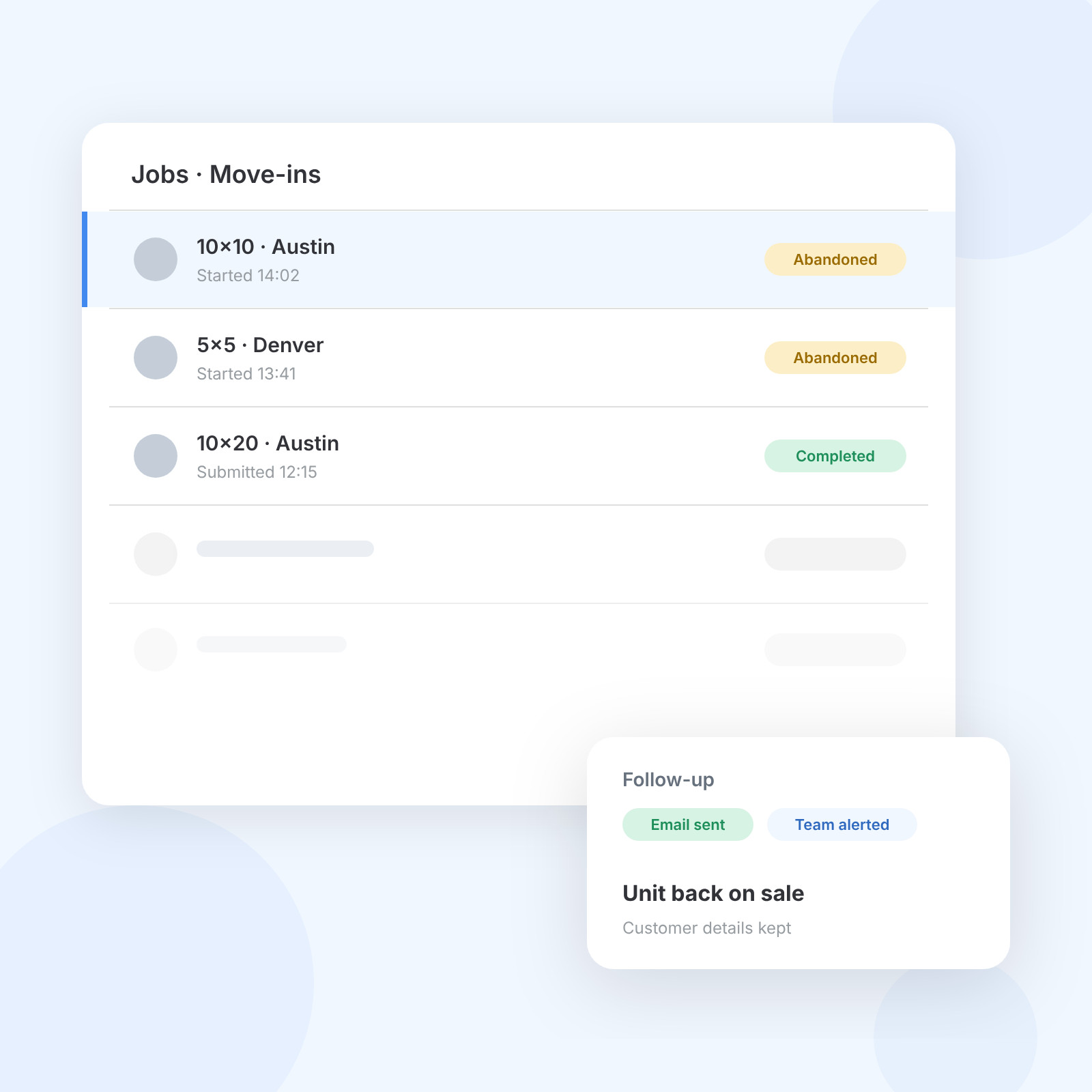
Storeganise follows up on unfinished bookings, keeps interest alive at full sites and lets you close with an offer, all from the booking portal you already use.
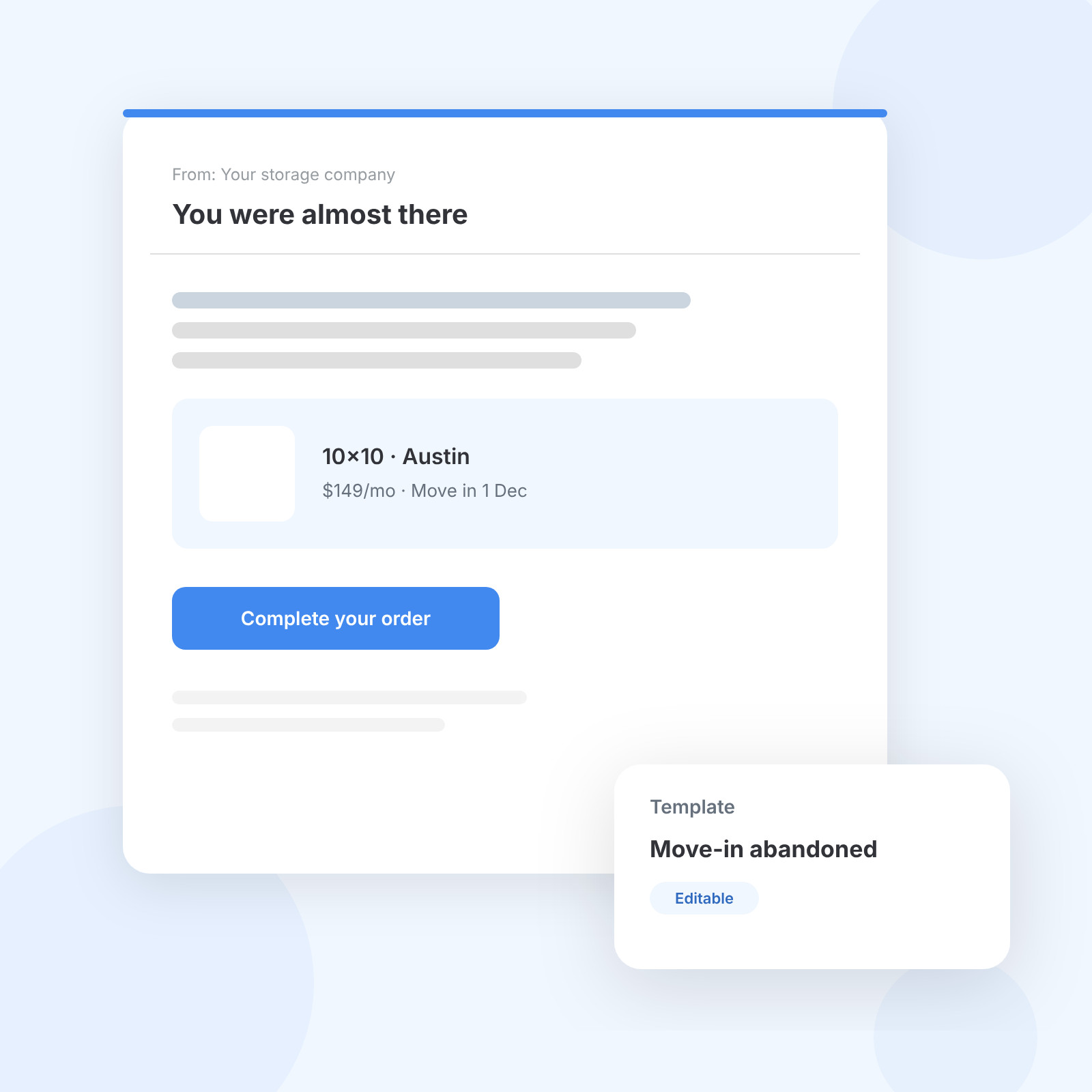
If a customer starts a booking and doesn't submit it within an hour, Storeganise marks it abandoned, puts the unit back on sale and keeps their details. They get an automatic email you can edit, with a button straight back to the unit type. Your team can get an alert too, so someone can call while the interest is fresh.
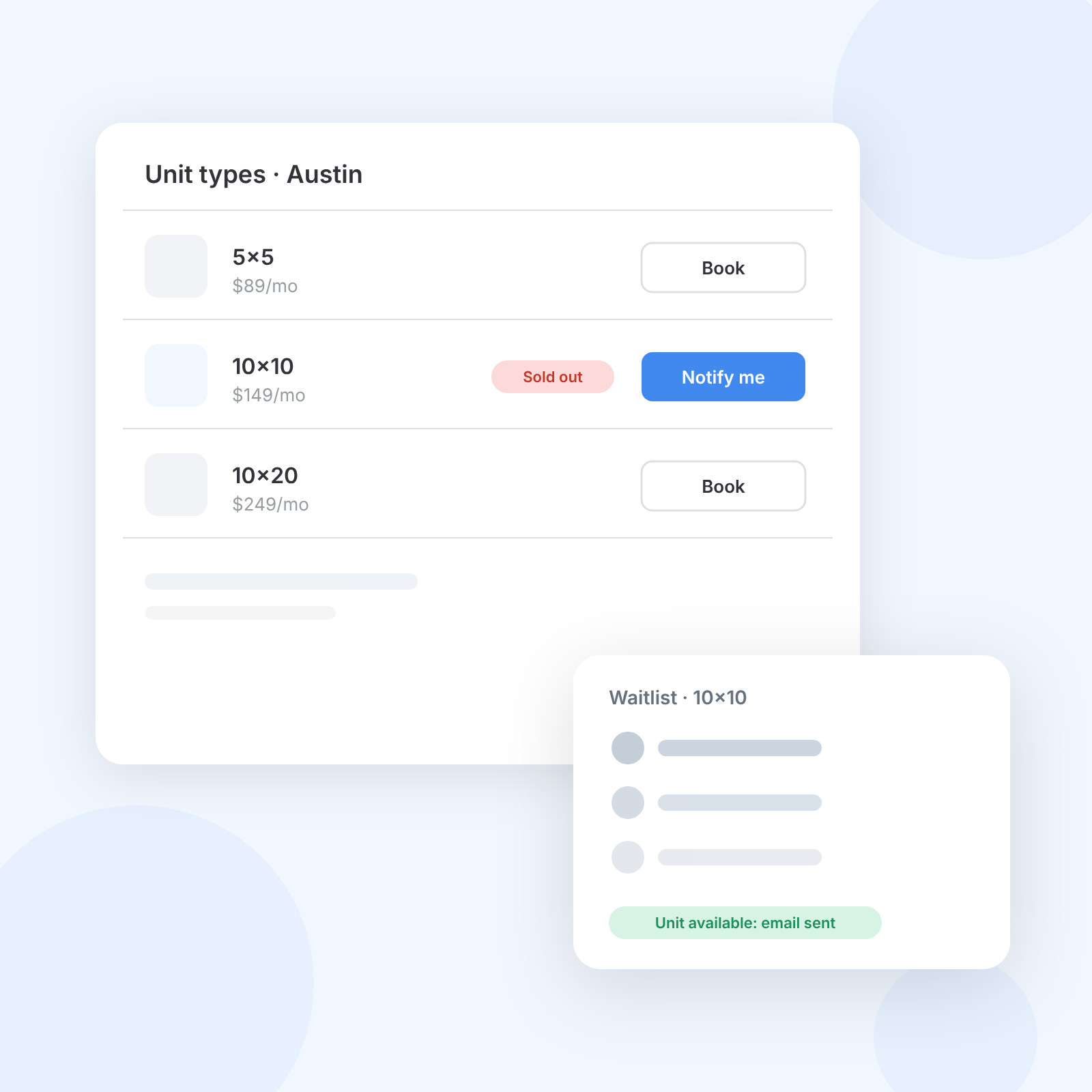
When a unit type sells out, the booking portal shows a Notify me button. Customers leave their name, email and phone number and get a confirmation. When a unit frees up, everyone on that list gets an email with a booking link, and anyone who books comes off the list automatically.
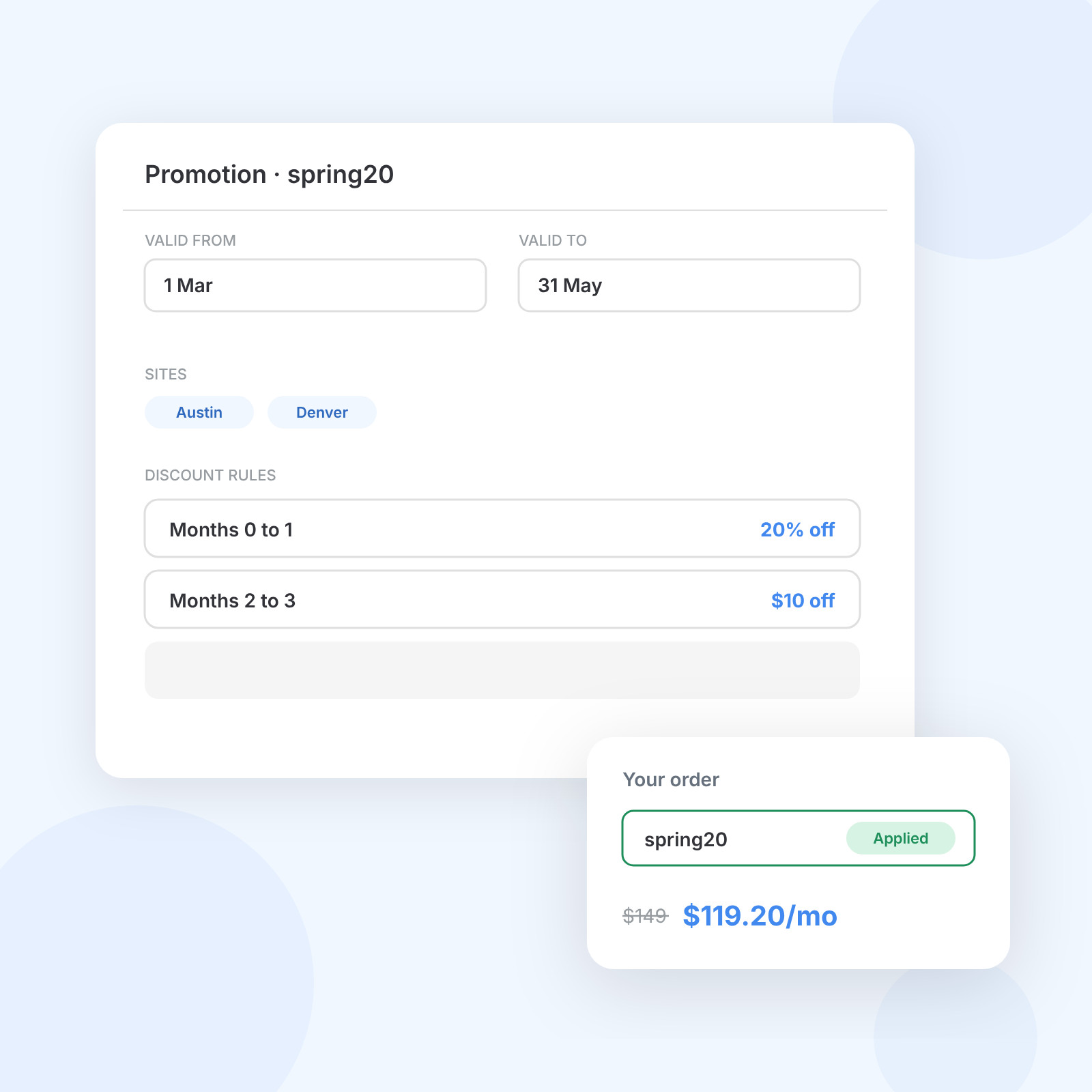
Create a code with start and end dates, the sites it covers and up to four discount rules, as a percentage or a fixed amount, by rental month. Customers enter it at checkout, or you add it to a link so the discount is already applied when they land.
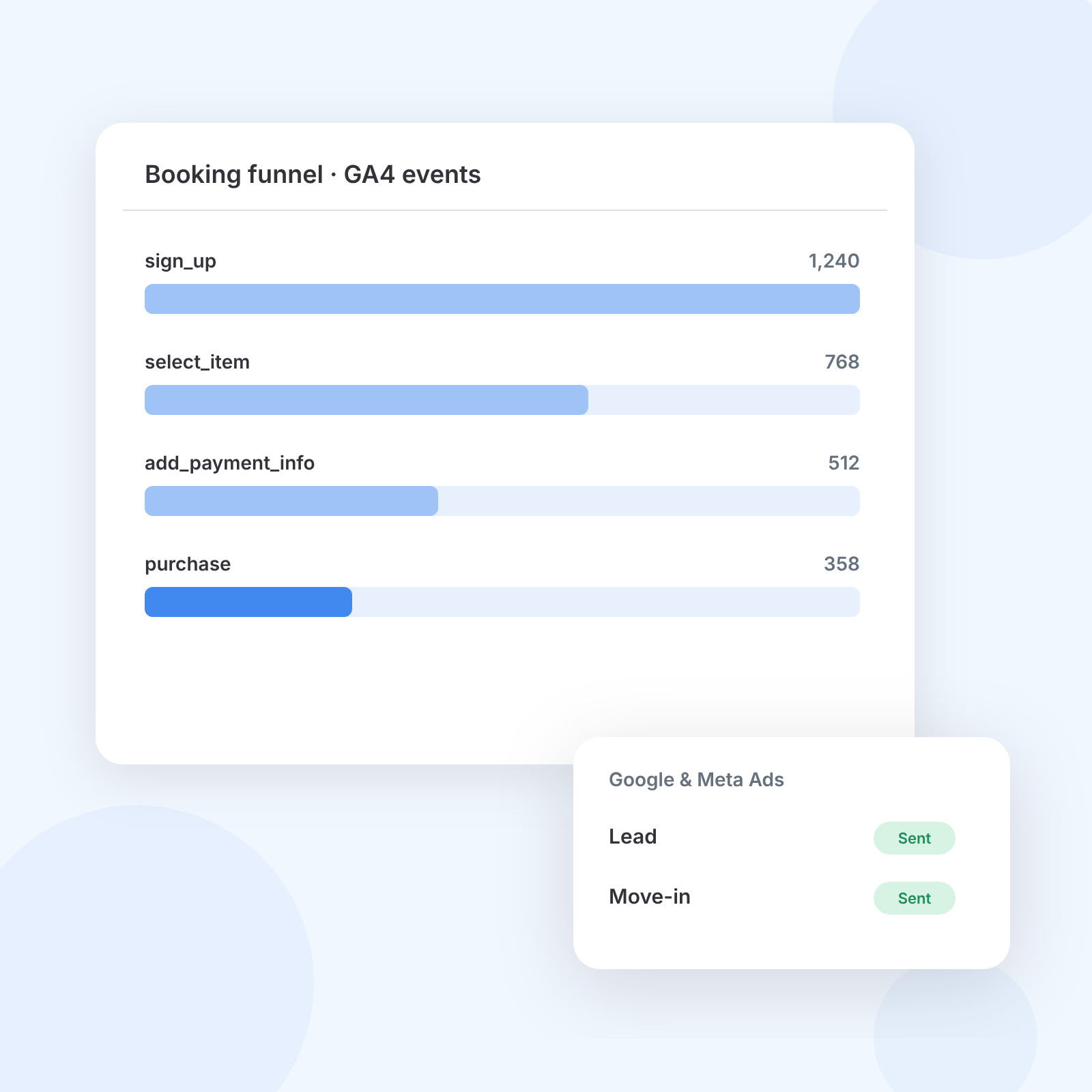
The booking portal sends GA4 e-commerce events from sign-up to purchase, plus an event when someone uses a promo code. With the Google & Meta Ads add-on, leads and move-ins go back to your ad accounts as conversions, so campaigns are judged on tenants rather than clicks.
The numbers behind the follow-up, from the abandoned booking window to the discount rules.
1
Then the follow-up email goes out
4
Percentage or fixed amount
24/7
Customers book and pay without staff
50+
Where operators run on Storeganise
Smaller tools that help a visitor finish what they started.
When a booking is abandoned
Abandoned and waitlist templates
Every site in one list
Discount applied on arrival
Card, wallet or bank debit
Book and pay without staff
Send leads to HubSpot, report move-ins to Google and Meta Ads, and track every step of the booking in GA4.
Every booking processed online.
Louise Stokes
Head of Digital, Swift Storage




The abandoned booking email is already part of your account.
Edit the email so it sounds like you, then add waitlists and promo codes where they help most.
Switch to StoreganiseMain settings > Emails > Move-in abandoned.
Each manager switches it on from their profile.
Add dates, sites and discount rules, then share the link.
Recovery works best alongside a booking flow that answers questions, a message for every step and prices that move with demand.
An abandoned rental, or abandoned booking, is an online booking someone starts but doesn't finish. In Storeganise, an order that isn't submitted within one hour is marked abandoned. The unit goes back on sale, the customer's details are kept, and they get an automatic email asking them to complete it.
Follow up quickly and make it easy to finish. Storeganise emails the customer automatically with a link back to the unit type, and can alert your team so someone can call. Adding a promo code to that email, or a link with the discount applied, gives a hesitant customer a reason to come back.
Divide the bookings you complete by the leads you get in the same period, whether those are abandoned bookings, waitlist sign-ups or enquiries. In Storeganise, each site's Sales view shows your conversion rate, and GA4 events from the booking portal show where visitors drop out before they submit.
When a unit type is full, customers click Notify me and leave their name, email and phone number. As soon as a unit becomes available, everyone on that waitlist gets an email with a booking link. People who book come off the list, and the rest are told again next time.
Yes. Each promo code has start and end dates, the sites it applies to and up to four discount rules, as a percentage or a fixed amount, for the rental months you choose. Customers enter the code at checkout, or you share a link that applies it for them.
With the HubSpot add-on, customers created or updated in Storeganise sync to HubSpot as contacts, and a deal marked Closed Won in HubSpot syncs back as a customer. For ad platforms, the Google & Meta Ads add-on sends leads and move-ins back as conversions.
Yes. The booking portal takes bookings and payments around the clock, and the abandoned booking and waitlist emails go out automatically whenever they're triggered. Nobody needs to be at the desk for a late-night visitor to get a follow-up or a booking link.
See how Storeganise helps your self-storage operations run smarter, so you and your team can grow your business, not your workload.