Our Blog
Insights and tips for self-storage success
Sitemap, additional invoicing and payment features, better GTM support and more

Written by: Charlie Davison
Data validated by: Storeganise team
Published: 2026-01-10
Storeganise is getting a new update. We changed some things under the hood to keep your Storage operation running smooth and fast and we added several new features that a lot of our users requested.
Here are the most important features and changes you can find in this upcoming release.
Updates will be coming to test accounts first and you can expect to see these awesome features in your live accounts within a couple of weeks.
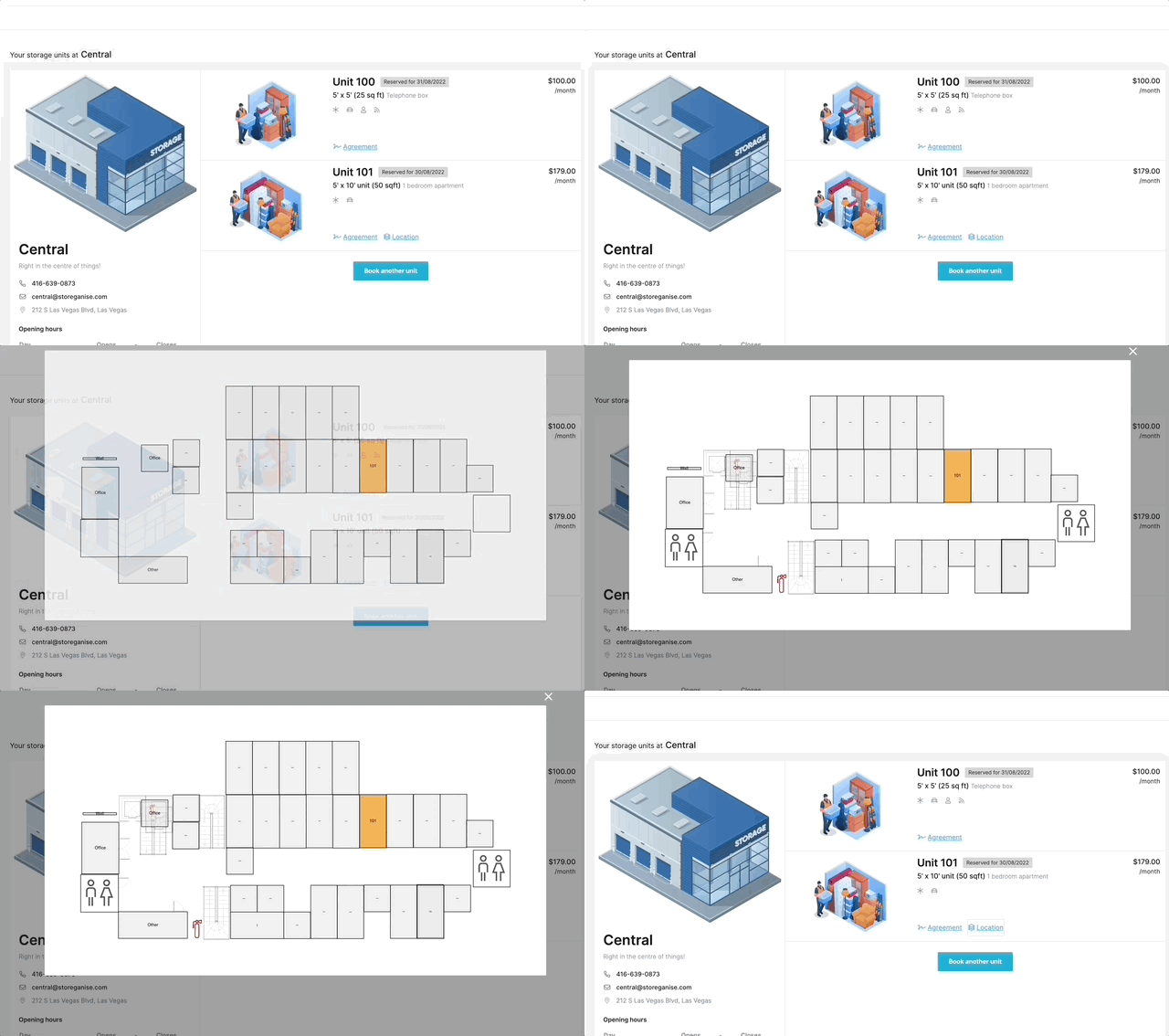
Customers can now see a detailed sitemap in the customer portal to see exactly where their unit is located.
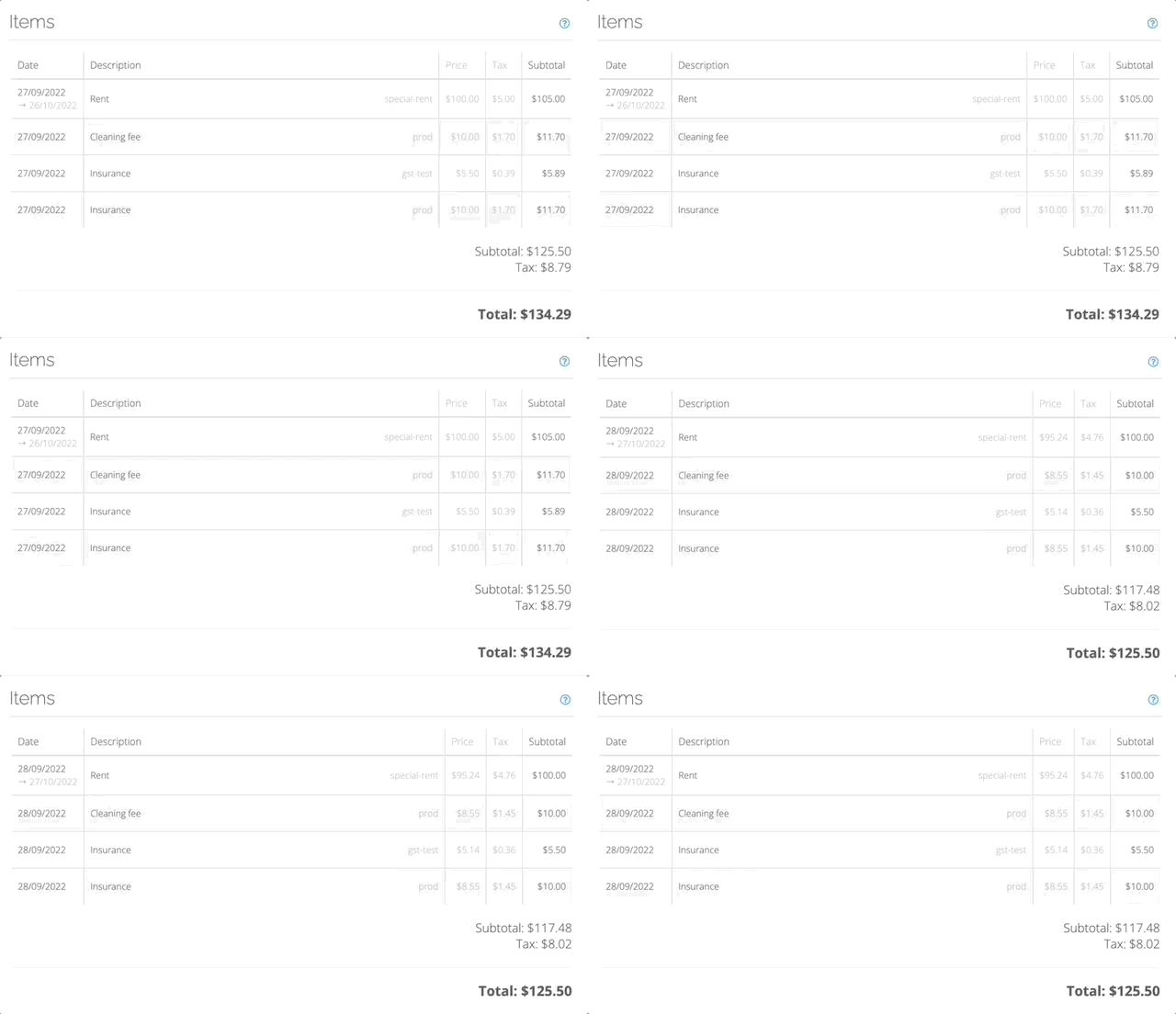
Support prices that are inclusive of tax
You can now choose to show prices with or without tax to end customers. This way, you can bring Storeganise even closer to your local requirements and business practices.
You can change the way prices are displayed by going to Main Settings and clicking on the Accounting tab.
Support for invoice numbering; with a custom prefix
We've added support for sequential invoice IDs. And if you operate several facilities, you can setup a site-specific prefix to precede the numerical ID, helping you more easily identify which invoices correspond to which site.
Show the date up to which the unit has been billed
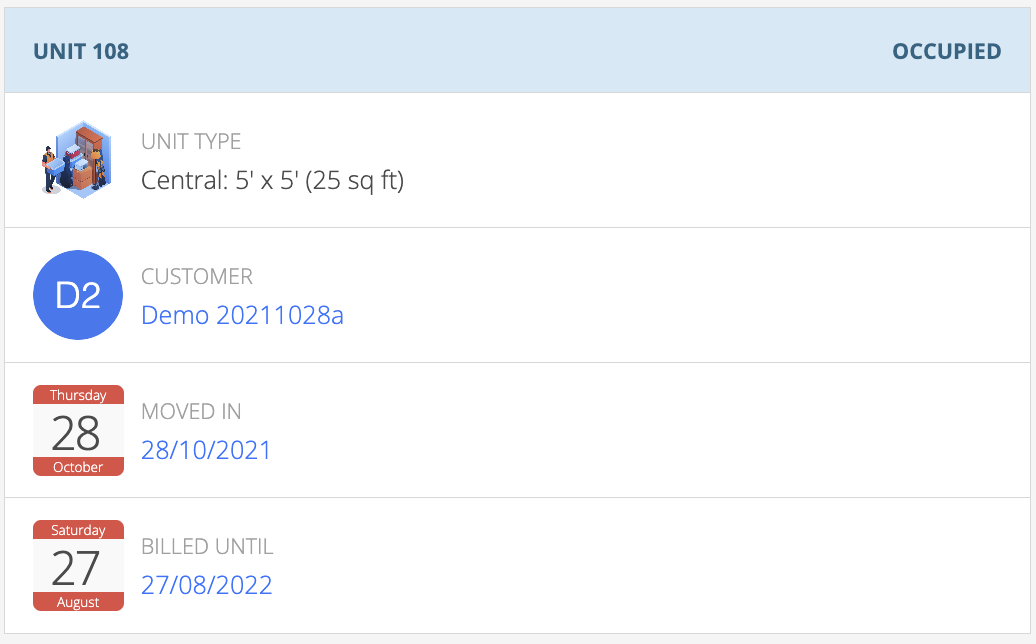
We added a Billed Until field on a user rental that allows you to see the date until which the unit has been billed/invoiced for. The data is also included in unit rental exports, helping you better identify customers coming up for renewal.
Apply bulk payments to multiple invoices
We have added support for taking bulk payments. If your customers pay off multiple invoices in one go, add a bulk payment and Storeganise will automatically apply the payment to the customers' multiple outstanding invoices.
Support for telephone, boolean and pattern type custom fields
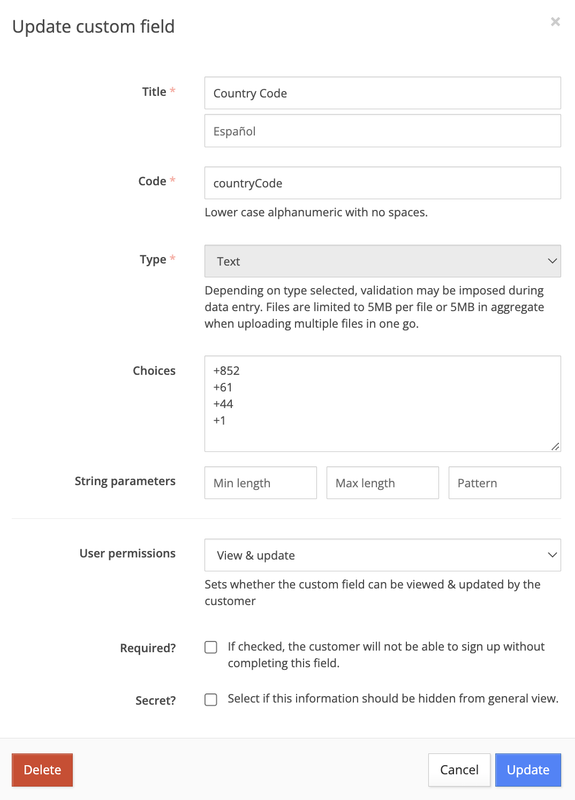
We added additional custom fields for boolean values and telephone numbers so you can now display your numbers in a way that is most common in your country to further localise Storeganise user experience.
To change these custom fields, login to your admin panel, go to Main Settings and choose the Custom fields tab.
Added support for OpenTech Alliance security system

We added another highly requested security system integration to Storeganise. You can now use the OpenTech Alliance security system with Storeganise to synchronise your storage facilities and units.
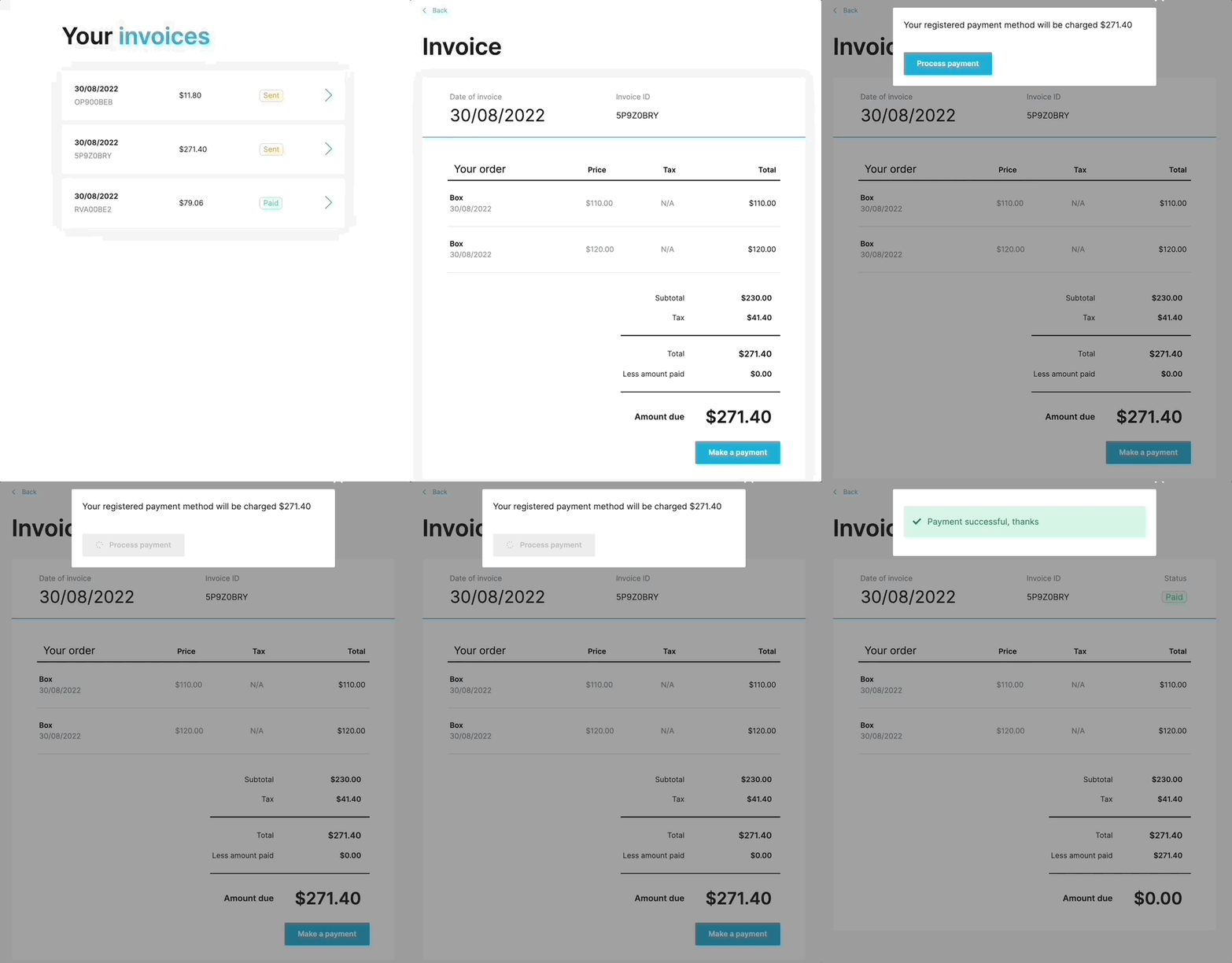 We added an option for customers to pay their invoices directly from the customer portal.
As soon as an invoice is sent, customers now see a "Make a payment" button on their invoice and they can proceed to pay it directly from the app.
Learn The Exact Steps on How To Set Up Your Self Storage Facility In This 5 Minute Read
Key Lessons from Industry Experts
The Psychology of Self-Storage Pricing
How to diversify your revenue streams
Steps to set you up for success
Improved support for Google Tag Manager We made updates that allow you to send more data to Google Tag Manager. You can now easily install GA4 tracking via Google Tag Manager and create custom events and funnels for your storage business.
Custom CSS via GTM
You can now also customise your user app via custom styles that you can add in your Google Tag Manager workspace. You can set your own CSS to change fonts, font sizes, colours and style of other elements on the app. (More infos on this soon, in short a custom style should have <style nonce="{{styleNonce}}"> where the variable use the element ID #app and attribute data-style-nonce)

Charlie Davison is the CTO of Storeganise since its inception in 2015, bringing a wealth of experience from his diverse background in logistics, investment banking and business management.
View bio